DaVinci Resolve or nolanlabs?
Resolve does it all, color to finishing, with a strong free version. nolanlabs keeps its keys and puts an agent on the timeline.
Checked
Choose Resolve if
- Color is the job, or you need Fairlight’s depth in sound.
- You need Linux or iPad, or a one-time price for Studio.
- You want Blackmagic’s AI tools, such as IntelliScript, Magic Mask and Voice Isolation.
Choose nolanlabs if
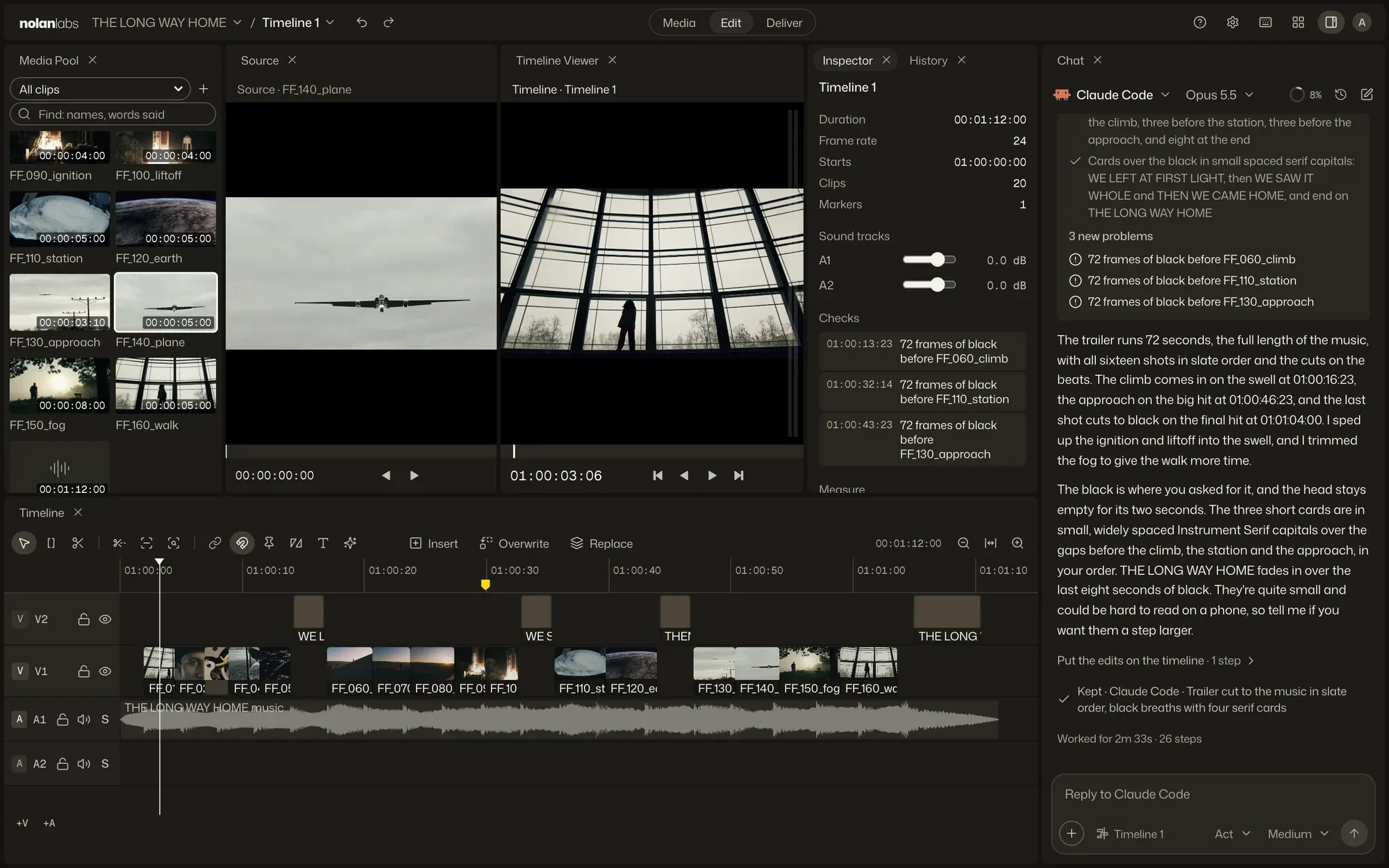
- You want the agent’s work as a proposal in a chat beside the timeline, with its reason on every edit.
- You want a quick Lite mode as well as Pro, on the same project.
- You know Resolve’s keys, and want them to carry over.
Side by side
The two, fact by fact.
| nolanlabs | DaVinci Resolve | |
|---|---|---|
| Built for | Editing with an agent, its own or one you already use, or by hand | Color, sound and finishing in one app |
| Agents | Nolan Edit, which comes with it, or Claude Code, Codex, Gemini CLI or any ACP agent, in the app. Its edits land on the timeline as one step you can undo, each with its reason. | Studio 21.1 has a native MCP server for AI assistants. External scripting needs Studio; the free version has the console. |
| Your media | On your disk. The frames an agent looks at go to the agent you chose. | On your disk, or on Blackmagic Cloud if you choose it. |
| Hand off | OTIO, FCPXML, EDL and AAF, in and out | AAF, XML, FCPXML and OTIO. EDL in |
| Runs on | Mac (Apple silicon), Windows | Mac, Windows, Linux, iPad |
| To start | Free to download. Nolan Edit runs on NolanX, with 100 credits a month on every account, and your own agent runs on your own account | Free, up to Ultra HD at 60 fps. Studio is $295 once |
Prices are US. Sources, read Nov 4, 2026: Resolve Studio, What’s new, Resolve 21.1 notes, via CineD, Reference manual, Fairlight. If something has changed, tell us. All names belong to their owners.
Moving over
From Resolve to nolanlabs.
Hand off with OTIO or FCPXML either way, and finish in Resolve if your grade lives there. Pro’s keys and pages follow Resolve’s.
Does DaVinci Resolve work with AI agents?
Yes, in Studio. DaVinci Resolve Studio 21.1 adds a native MCP server for AI assistants, and external scripting needs Studio. nolanlabs builds the agent into the app: a chat beside the timeline, and edits that land as one step.
Can I go back and forth between Resolve and nolanlabs?
Yes. nolanlabs reads and writes OTIO and FCPXML, and Resolve reads and writes both. Clips point at your original files.
Is nolanlabs’s grading as deep as Resolve’s?
No. nolanlabs has node grading, shot match, ASC CDL, LUTs, scopes and ACES, and Blackmagic’s color page goes further. Many people will finish there.
Bring the footage. Give the direction.
Free to start. Apple silicon, macOS 13 or later. Also for Windows.Free to start. Windows 11, 64-bit. Also for Mac.Free to start, on Mac and Windows.