Relighting footage in post: how AI relighting works and where it breaks
How AI relighting works (depth, normals, albedo), the tools as of October 2026 in one dated table, where it breaks, a QC list, and when to grade or reshoot.
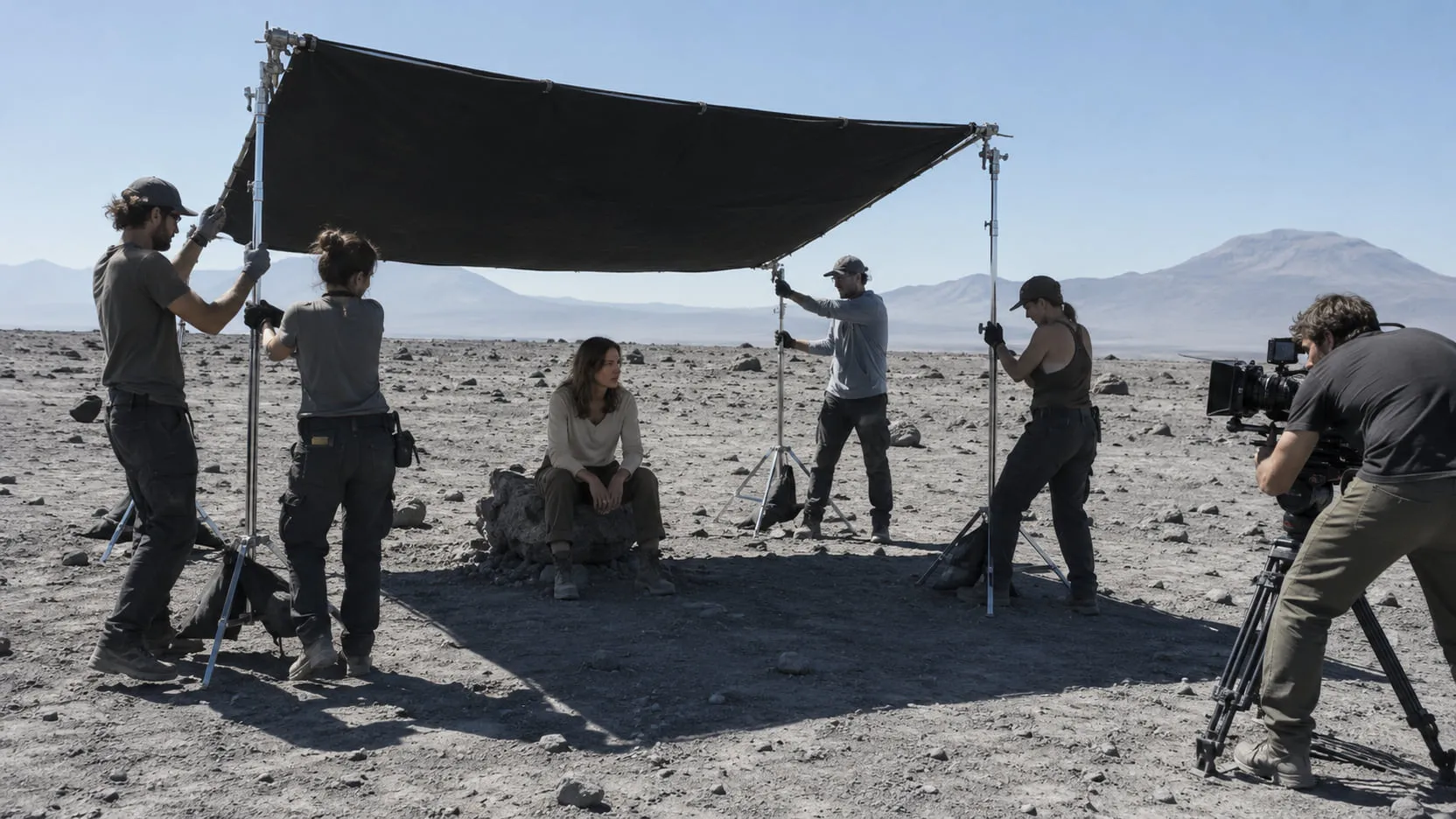
Relighting footage in post means changing the light that falls on a shot after the shoot: its direction, hardness, color and time of day. Relighting changes the light per surface; a grade changes pixels. AI relighting gets there by inverse rendering: a model estimates depth, surface normals and base color for every frame, then lights those surfaces again, either by re-rendering the whole frame or by handing you passes to relight in comp. It holds up on soft, even light and breaks first on hard shadows from things outside the frame, specular highlights, eyes, hair and fast motion.
Below: the tools as of October 2026 in one dated table, when to relight, grade or reshoot, a QC checklist, comp with passes, and what to shoot on set.
What is relighting, and how is it different from a grade or a power window?
Relighting changes where light lands; a grade and a power window change how bright and what color pixels are. A grade works on values: every pixel with the same value and hue moves the same way, whatever surface it sits on. A power window adds position, but it doesn’t know the face inside it is round. Blackmagic draws the same line: unlike “a simple shape window, which lightens everything equally within its boundaries,” Resolve’s Relight “creates a surface map that analyzes the perceived depth and direction of objects” (Resolve 18.5 New Features Guide).
Surface information is what makes light behave like light. Move the key to the left and it catches the cheekbone, falls off around the jaw and puts a rim on the hair. Colorists imitate that with stacked windows and roto, and on a short shot they still can. Relighting computes it from the estimated shape, so it follows the face as it turns.
The test: if the light is in the right place and only its level or color is wrong, grade it. If it comes from the wrong place, has the wrong hardness or belongs to another hour, relight it.
How does AI relighting work?
In two steps: take the shot apart, then light it again. The first step is inverse rendering: a model estimates what made each frame, namely depth (distance from camera), surface normals (which way each surface faces), base color or albedo (the surface color with the light taken out), often roughness and specular, and with them the light falling on the plate. NVIDIA’s DiffusionRenderer paper (CVPR 2025) splits the job the same way: an inverse model that “estimates G-buffers from real-world videos” and a forward model that renders images from them (NVIDIA). The second step lights those surfaces again, with new lights, an HDRI or a reference frame.
Tools differ in who does the second step:
- Full-frame generative relight. A video model takes the plate plus a prompt, a reference or a control signal and generates a new video of the whole frame. One pass can take noon to dusk, but every pixel is newly made: skin texture, grain and sometimes faces drift, at the model’s resolution. More in generative video editing vs plate-preserving VFX.
- Pass-based relight. The model only does the inverse step and hands you passes; you light in Nuke, Resolve or a 3D package. Your plate stays the base. The cost is comp time, and the passes are estimates at the tool’s resolution and bit depth.
Some tools sit between: Resolve adds light on top of the plate from its own surface map, and in Beeble’s SwitchX the masked area is generated while the rest is “retained from the original footage, but intelligently relit and restyled” (Beeble).
Which tools relight video, as of October 2026?
Each row was checked on the vendor’s own page on October 10, 2026. These limits change monthly; check again before you bid on them.
| Tool | Input | What comes back | Limits | Re-renders the whole frame? | Commercial terms |
|---|---|---|---|---|---|
| DaVinci Resolve Studio 21: Relight (Resolve FX) and Relight node (Fusion) | The clip; optional external normal map and alpha (e.g. Magic Mask) | The lit image; an exportable surface map | “Does not calculate any actual 3D geometry”: no new cast shadows | No: light is added to the plate | Studio version only |
| Beeble VFX Pass Generator (SwitchLight 3.0), Cloud app | MP4, MOV (ProRes, H.265), PNG/JPG; Rec.709 best, log “may degrade quality” | Alpha, depth, normal, base color, roughness, specular, metallic; 8-bit PNG or MP4 | 2K (2048 px), 30 fps, 60 s. Beeble Studio (desktop, local GPU): 4K, 1 hour, 16-bit EXR | No: passes only | “Full commercial license” on paid plans; “never trains on paid customers’ content”. Not in the API, which lists only SwitchX |
| Beeble SwitchX 2.0 | Video up to 480 frames (20 s at 24 fps), reference and mask; ProRes 4444 rejected | 8-bit MP4; 10-bit MOV on higher plans | Up to 2160p in the app (higher plans); 720p or 1080p via the API | Masked area generated, the rest relit | Paid plans commercial; API apps must credit Beeble |
| Runway Aleph 2.0 (May 2026) | 2–30 s at 30 fps or lower, prompt, up to 5 keyframe images; no mask | MP4, ProRes or PNG sequence; 10-bit Rec.709 via the API | Input resolution kept up to 1080p | Yes: a generated video | Runway “does not restrict your commercial use” of outputs; its terms (updated September 15, 2026) say inputs and outputs “may be used … to train” its models |
| Lightricks LTX-2.3 IC-LoRA Relight (July 2026) | Exterior clip plus a reference with a “light-direction ball” in the corner; no mask | Relit clip | Trained at 1280×704, 121 frames, 24 fps; “exterior only” | Yes: one generative pass | LTX-2 Community License: entities with $10M or more in annual revenue need a paid commercial license |
| Nuke 17.1 Relight node | Image with normal and point position passes, camera, lights, material | A lit image to merge over the plate | Only as good as the passes and the camera | No: you choose what to add | Part of your Nuke license |
The tools that keep your plate as the base are the ones where you set the lights. On client work, read the terms column as closely as the specs: who may train on footage differs by tool and plan.
Should you relight, grade or reshoot?
Grade when only level and color are wrong, relight when the direction or quality of light is wrong on the subject, and reshoot (or budget real comp) when the problem is hard shadows from things you can’t see or a hero face lit fundamentally wrong.
| The problem | First choice | Why | Watch for |
|---|---|---|---|
| Exposure or color temperature off; key in the right place | Grade | Direction is already right | Skin drifting when you warm or cool the frame |
| Pickup is flatter or harder than the master | Relight, or tracked windows on a short shot | Quality of light differs, not only level | Catchlights from the old setup |
| Sun moved between setups; key from the other side | Relight | A grade can’t change direction | Ground shadows still pointing the old way |
| Actor comped into a background lit from elsewhere | Pass-based relight, then comp | The foreground must look lit by the new world | Edges and light wrap; sky replacement in video has the same problem |
| Noon to golden hour or night on a wide exterior | Relight plus sky and shadow comp | Shadows and sky change too; see day for night | Hard shadows from trees and buildings |
| Hard shadow from an off-screen object across the face | Paint and roto, or reshoot | The model can only guess what cast it | Shadow edges that crawl |
| Close-up where the light is the story, and it’s wrong | Reshoot if you can | Every frame is judged on skin and eyes | Anything that reads as processed |
Where does AI relighting break?
It breaks where the plate holds light the model can’t separate from the surface:
- Hard cast shadows from off-screen objects. A branch or a building outside the frame casts a shadow the model sees but can’t explain. Resolve’s manual is explicit that its Relight can’t make shapes cast shadows (Resolve 21 manual); AI tools tend to bake such shadows into base color or guess at them.
- Specular highlights. A glint on skin, glass or chrome belongs to the old light; if the base color keeps it, it stays put when the key moves.
- Skin and eyes. Skin scatters light under the surface (ears glow red when backlit), which a simple shading model flattens. Eyes give it away fastest: the catchlight has to sit where the new key is.
- Hair. Strands mix subject and background in one pixel, so normals and alpha are partial: halos, chattering rims.
- Fast motion and high frame rates. Motion blur smears surfaces, and Beeble’s Cloud app and Aleph 2.0 both stop at 30 fps.
- Temporal flicker. Per-frame estimates wobble. Beeble calls SwitchLight 3.0 “a true end-to-end video model” (Beeble); check every shot at speed anyway.
A QC checklist for a relit shot
- Play it at speed, full resolution, flipping against the plate. Flicker shows only in motion.
- Run a difference against the plate: on a pass-based relight, what you didn’t light should be zero.
- Check shadow direction against the new key, on the subject and on the ground.
- Check the eyes: catchlight position, and whites that haven’t gone gray.
- Check skin at 100%: texture, pores, and warmth in the shadow side.
- Check hair and edges for halos, chatter and a rim that wasn’t motivated.
- Check speculars: highlights should move with the light or be removed.
- On generative output, check identity: face shape, expression and lip sync against the plate.
- Check grain and sharpness against the neighboring shots.
- Check it in the cut, after the grade, next to the shot it has to match.
How do you relight in comp with normal and albedo passes?
Treat the passes as utility layers: keep the plate as the base, build new light from the normals, and add it on top. In Nuke 17.1, the Relight node “takes a 2D image containing normal and point position passes and lets you relight it using 3D lights.” A working order:
- Bring the passes in at the plate’s resolution. Cloud tools may deliver 8-bit PNG; Beeble lists 16-bit EXR only for its desktop app.
- Copy the normals into a channel set on the plate stream.
- Make a position pass if you only have depth: DepthToPosition “generates a position pass from a depth pass and a 3D camera.” For where depth comes from, see depth maps from video.
- Connect a camera, the lights and a material (a Phong shader, for example) to Relight, and set the normal vectors and point positions channels.
- Use it as a light pass. Grade the result as light only, add it over the plate in linear, and hold it out with the matte.
- To take light away, divide the plate by the base color to get a rough shading layer, grade that, and multiply back. Watch dark base colors, where the division blows up.
In Resolve, the Fusion Relight node takes “externally created normal maps” on its Normals input, and the Resolve FX version has Reinterpret Left/Right and Up/Down switches for maps made elsewhere (Resolve 21 manual; Resolve 18.5 guide). If a face looks lit from below when the light is above, flip the axis.
How do you shoot so a shot can be relit later?
Shoot light you can take away, and record the light you can’t. The easier the inverse step, the better every relight tool does.
- Soft, even light on faces. Soft light leaves base color clean; a hard key bakes shadows and speculars into the plate that every tool has to undo.
- Keep hard cast shadows off the subject: flag the branch, move the actor, or note the cause in the camera report.
- Shoot a chrome ball and a gray ball at the subject’s position after the take, plus an HDRI if there’s time. The idea goes back to Paul Debevec’s 1998 light-probe paper: “a simple example of a light probe is a camera aimed at a mirrored sphere” (SIGGRAPH 98). The gray ball shows key direction and softness; the chrome ball shows where every source is.
- Note the sun. Date, time, location and camera heading let anyone work out where the sun was.
- Shoot a color chart in the key light for each setup.
- Keep the log original. Beeble recommends Rec.709 input and says log “may degrade quality,” so convert a copy for the model and keep the camera original for comp.
Where nolanlabs fits
A pickup that doesn’t match its master, or an actor who has to sit in a background lit from the other side, is a nolanlabs Relighting job. You describe the light (“late golden hour, sun low behind them from the right”), or give a reference frame or the background the shot has to sit in. nolanlabs reads the shot’s depth, surfaces and base color, then lights it again: the performance, framing and timing stay, and light and shadow change. What comes back is the relit shot, the original plate and a matte, plus normal, albedo and light passes where the engine provides them, so you can rebuild or pull back the light in your own comp. The inverse-rendering passes can also be handed off on their own. The honest limit: relighting is a whole-subject change, so every lit pixel changes, and hard shadows cast by things outside the frame are approximations. nolanlabs says so before the run. Access is by invitation; if you have a shot whose light doesn’t match, bring it to a demo.
Grade what is only level and color, relight what is direction and quality, keep the plate as your base, and judge the eyes, the shadows and the flicker at speed, next to the shot it has to match.
Questions
- Can you fix lighting in post?
- Partly. A grade fixes exposure, contrast and color. Relighting can also change where light comes from and how hard it is, because it estimates the shape of the surfaces and lights them again. What neither does well is move hard shadows cast by objects outside the frame, such as a tree or a building, so shots whose problem is those shadows usually need paint and comp work, or a reshoot.
- Is relighting the same as color grading?
- No. A grade changes pixel values, the same way for every pixel with the same value, whatever surface it belongs to. Relighting changes the light falling on each surface, so a new key catches a cheekbone and falls off around the jaw. Power windows sit in between: they add position to a grade, but they don't know the shape of what's inside them.
- Does DaVinci Resolve have a relight tool, and is it free?
- DaVinci Resolve has a Relight effect in Resolve FX and a Relight node in Fusion, and Blackmagic's manuals list Relight as Studio version only, so it isn't in the free version. It builds a surface map from the image and adds directional, point or spot lights. Blackmagic notes it doesn't calculate 3D geometry, so a light can't make an object cast a new shadow.
- What passes do you need to relight footage in Nuke?
- Nuke's Relight node needs a normal pass and a point position pass on the image, a camera, at least one light and a material such as a Phong shader. If you only have depth, Nuke's DepthToPosition node builds a position pass from a depth pass and a 3D camera. AI tools such as Beeble's VFX Pass Generator estimate normals, depth and base color from ordinary footage.
Sources
- DaVinci Resolve 18.5 New Features Guide (Relight, Studio version only) — Blackmagic Design (2023) — accessed 2026-10-10
- DaVinci Resolve 21 Reference Manual (Relight node in Fusion; Relight in Resolve FX Refine, Studio version only) — Blackmagic Design — accessed 2026-10-10
- DaVinci Resolve 21 New Features Guide (up to 2x faster Relight tool) — Blackmagic Design (April 2026) — accessed 2026-10-10
- VFX Pass Generator — Beeble docs — accessed 2026-10-10
- Beeble FAQ (Cloud vs Beeble Studio limits, content use) — Beeble docs — accessed 2026-10-10
- SwitchLight 3.0 is here — Beeble (November 5, 2025) — accessed 2026-10-10
- SwitchX — Beeble docs — accessed 2026-10-10
- Beeble pricing (commercial license, training policy) — accessed 2026-10-10
- Beeble API pricing and terms (SwitchX API, attribution) — Beeble developer docs — accessed 2026-10-10
- Introducing Aleph 2.0 and Edit Studio — Runway (May 21, 2026) — accessed 2026-10-10
- Runway API documentation (Aleph 2.0 input limits and output formats) — accessed 2026-10-10
- Runway Terms of Use (last updated September 15, 2026) — accessed 2026-10-10
- LTX-2.3 22b IC-LoRA Relight — Lightricks, Hugging Face model card — accessed 2026-10-10
- LTX-2 Community License Agreement (dated January 5, 2026) — Lightricks — accessed 2026-10-10
- Relight — Nuke 17.1 Reference Guide, Foundry — accessed 2026-10-10
- DepthToPosition — Nuke 17.1 Reference Guide, Foundry — accessed 2026-10-10
- DiffusionRenderer: Neural Inverse and Forward Rendering with Video Diffusion Models — NVIDIA (CVPR 2025) — accessed 2026-10-10
- Rendering Synthetic Objects into Real Scenes — Paul Debevec, SIGGRAPH 98 — accessed 2026-10-10
Written by the nolanlabs team. nolanlabs does AI shot work for post-production; product names mentioned belong to their owners. Tool details were accurate on the date shown above — check the vendor’s documentation before relying on them.