Day for night: how to make day footage look like night
How to shoot and grade day for night: an on-set table for sun, exposure, sky and wardrobe, a step-by-step grade, the comp work, and where relighting fits.
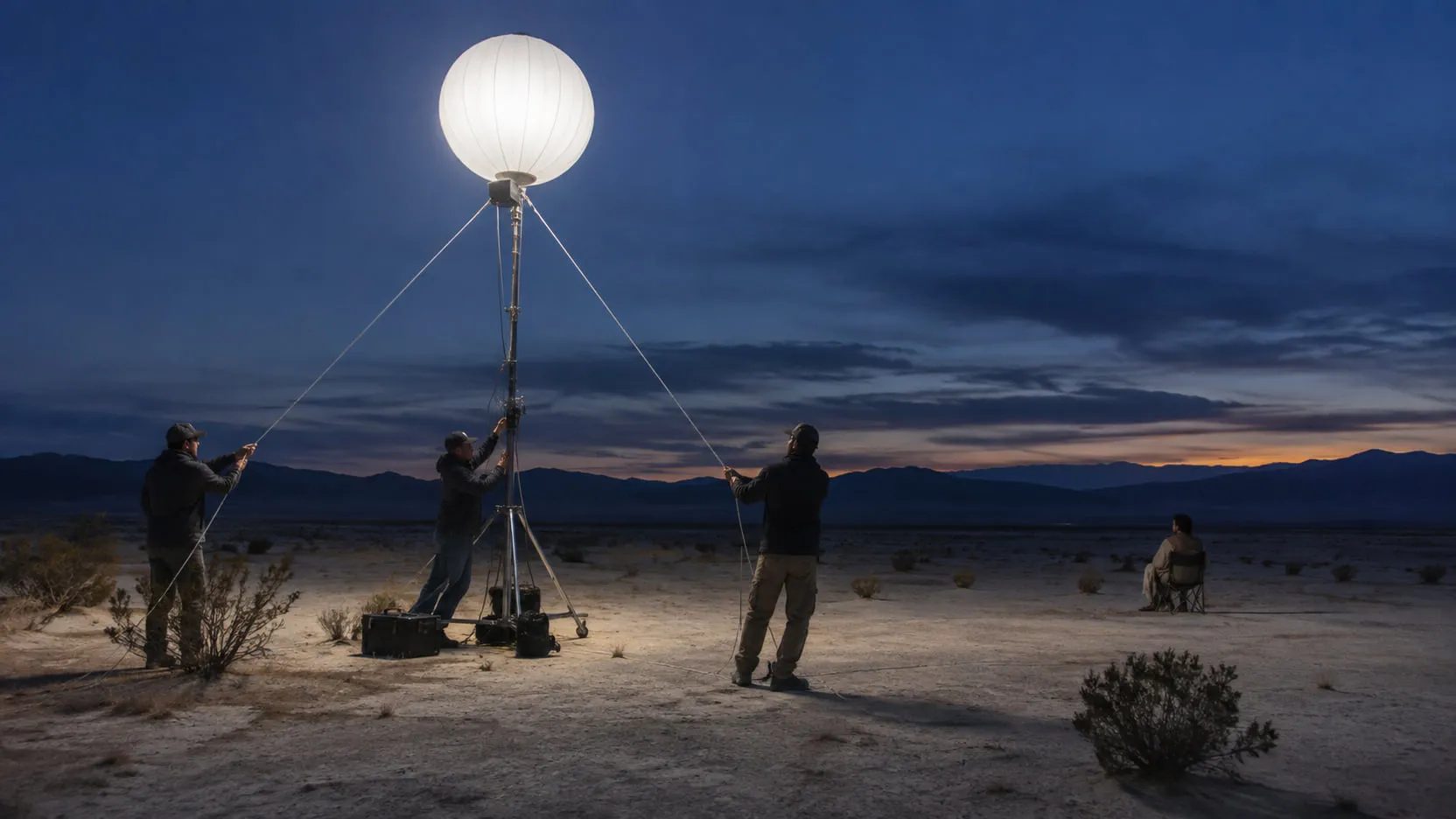
Day for night is shooting a night scene in daylight and making it read as night. It works best when it’s planned on set: the sun kept beside or behind the action, bright sky kept out of frame, shadow detail protected. In post the shot is graded darker, cooler and less saturated, the sky is crushed or replaced, and practical lights are added in comp. The hardest parts to fix later are the sky, the direction and hardness of the sun’s shadows, and the actors’ faces and eyes.
Below: the history, the on-set choices, a step-by-step grade, the comp work, why it looks fake, what AI relighting changes, and a checklist.
What is day for night?
Day for night is a set of techniques for photographing a night scene in daylight: camera choices on the day, then grading and compositing. Productions use it when a real night shoot is impossible or too expensive, usually wide exteriors no lighting package could cover. For Nope, Hoyte van Hoytema said that on the night scouts “there was no available light whatsoever” (Kodak, 2022).
The technique is as old as cinema. Definition’s June 2026 feature traces it from silent-era tinting and Nanook of the North (1922) through classic westerns to Furiosa: A Mad Max Saga (Definition). In France it’s called la nuit américaine, “the American night”, because it was so associated with Hollywood. François Truffaut used the phrase as the title of his 1973 film about a film crew, released in English as Day for Night; it won the Academy Award for Best Foreign Language Film at the 1974 ceremony (Academy).
It’s still in use. Mad Max: Fury Road made its nights in the grade, and Nope combined an infrared ALEXA 65, which renders a dark sky over a lit landscape, with a 65mm film camera for color and texture (Kodak).
How do you shoot day for night?
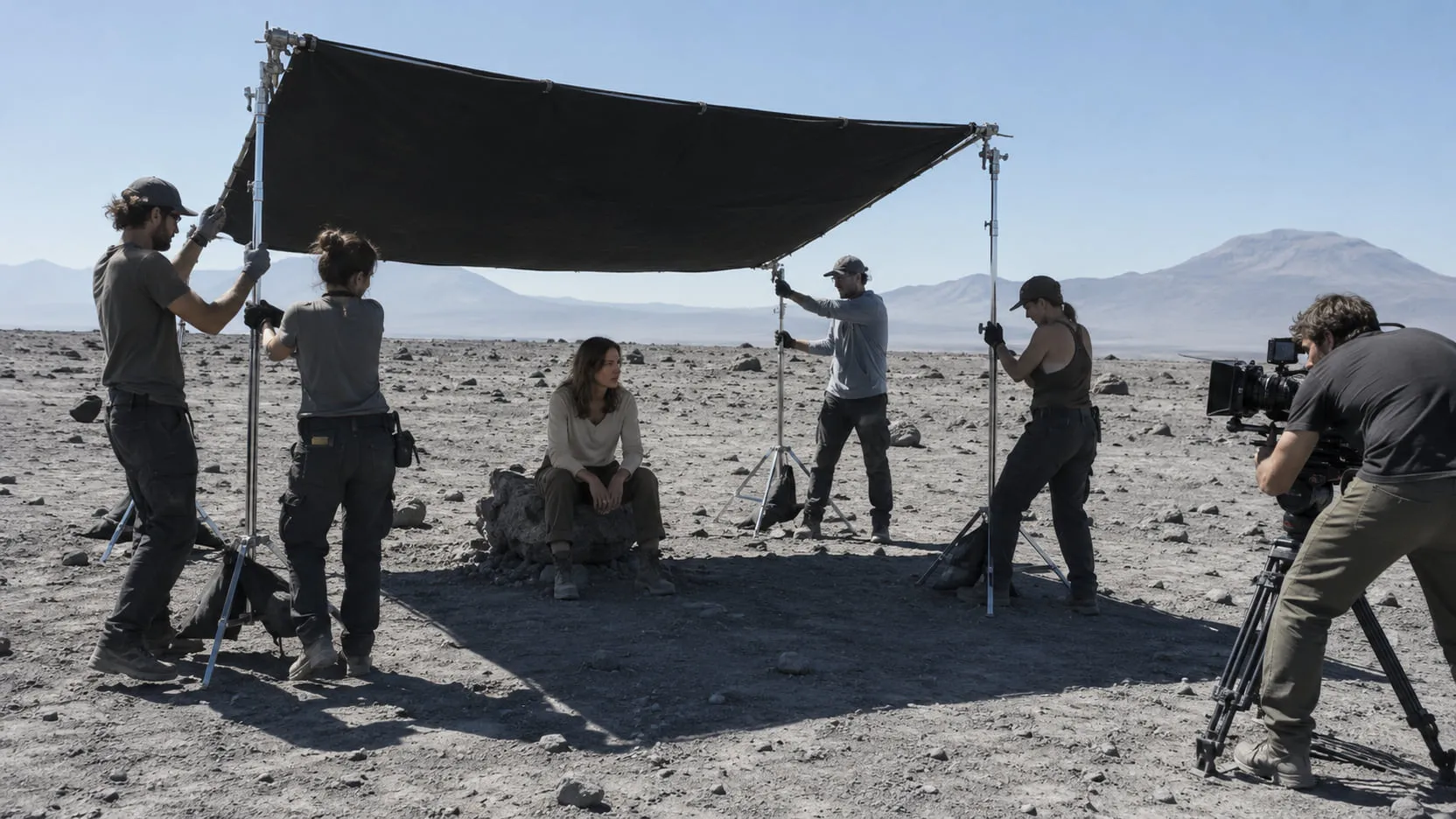
Shoot it like a day exterior that will come down two or three stops later: side or three-quarter back light, no sun and little bright sky in frame, and enough detail in shadows and faces to survive the grade. Simon Duggan, ASC, ACS, who used the technique on Furiosa, told Definition that “three-quarter backlight and cross light worked best” and that “purely underexposing the image doesn’t make a good day-for-night shot, as you are losing all the shadow detail” (Definition).
| On-set choice | What to do | Why |
|---|---|---|
| Sun angle | Three-quarter back or cross light; follow the sun, never put it in frame | Side and rim light read as moonlight; “the actual sun in shot breaks the illusion” (Duggan) |
| Quality of light | Softer sun; avoid the hours around noon | “The harsh lighting makes it really hard; when it’s softer, it’s easier” (colorist Stephen Nakamura) |
| Exposure | Protect shadows, never clip highlights; set the night level in the grade | Fury Road shot about two stops over without clipping and brought it down in the color suite (Lowepost). Test your camera first |
| Sky | Frame it out, shoot against a dark background, or plan a replacement | By day the sky is brighter than the ground; at night it isn’t. With flat, overcast skies “you probably need a VFX sky replacement” (Duggan) |
| Polarizer | Use it on cross-lit setups to darken blue sky | Strongest 90 degrees from the sun, almost no effect into backlight (Canon) |
| Faces | Fill or bounce so faces survive the grade | “We try to add a lot of fill light to faces where possible, otherwise in the DI we select the faces in the image and lighten them” (Duggan) |
| Wardrobe and set | Avoid white, shiny and reflective surfaces | “We’d try to avoid overexposed white materials and high lights” (Duggan) |
| Practicals | Turn on headlights, lamps and windows anyway; shoot references | They won’t read in daylight, but they show comp where the light should land |
| Lens and ND | ND to hold your stop; test ND if you shoot infrared | Some ND filters “can appear almost transparent in the IR range” (Sony’s Daiki Yamoto) |
Decide two things before the shoot. Where is the moon? Pick one direction and keep the sun there all day, as you would a key light. And who owns the sky? If it will be replaced, keep hair and branches off a bright sky where you can, because those edges are the expensive part of the key.
How do you grade day for night, step by step?
Grade it as a real night: darker overall, lower highlights, less color, a cool but not cartoonish cast, and light only where the story needs it. Nakamura describes the job as imagining “what a scene looks like with a really strong moonlight” (Definition). This order works in DaVinci Resolve, Baselight or any grading tool with keys and windows.
- Balance first. A normal primary, matched to the neighboring shots. You can’t judge a night grade on a plate that’s already off.
- Bring the exposure down. Nakamura talks about the grade coming down “two or three stops”. Set the level against the scene around it, not in isolation.
- Reshape contrast. Pull highlights down harder than midtones; at night only the light sources are bright. Keep shadow detail. Duggan: “If you go outside in moonlight, it is surprising how much detail there is in the shadows.”
- Cool it, carefully. Night reads blue partly because of how the eye adapts: in the dark, “longer wavelengths (reds) of light will appear darker, whereas shorter wavelengths (blues) will appear relatively brighter” (Purkinje shift). Push cooler, but keep blacks near neutral and some warmth in skin, or it reads as a blue filter.
- Take out color. Lower saturation overall, and pull reds and oranges down in saturation and luminance.
- Isolate the sky. Key or window it and pull it far down, or leave it for comp. Resolve’s Color page pairs qualifiers (hue, luminance and saturation keys) with Power Windows the tracker follows through the shot (Blackmagic).
- Bring back faces and eyes. Lift faces with soft tracked windows or a person matte; Blackmagic lists Magic Mask in DaVinci Resolve Studio for object isolation and tracking (Blackmagic). On Fury Road, Eric Whipp said he “essentially rotoscoped every eyeball in the film” (Lowepost).
- Build pools of light. Darken edges with soft windows and let areas near motivated sources (a window, a fire, headlights) sit brighter. An evenly dark frame reads as underexposed day.
- Check in a dark room, at speed. Compare against a real night reference, not the ungraded plate.
Nakamura is plain about the tools: “A lot of difficult situations don’t work without luminance, chroma keys and power windows.” How blue to go is a creative call. Fury Road went, in Whipp’s words, “extremely blue”, “not necessarily a photorealistic night, but a very graphic night” (postPerspective). Decide which night you’re making before you start.
What comp work does day for night need?
Convincing day for night usually ends in comp, on the sky, the lights and the faces. Whipp said that on Fury Road “almost every D4N shot was basically roto’d and had the sky replaced to create the look” (Lowepost). Budget for it.
- Sky. Matte it, then darken it or replace it with a night sky, with the moon placed to match your key. Edges against hair, trees and rooftops are the hard part; see sky replacement in video.
- Background. If the whole daytime background is the problem (a sunlit city, a bright horizon), it’s a background replacement with a night plate, and the foreground is graded to sit in it.
- Practicals and windows. Add the glow, then the light it casts: a pool on the ground, a warm edge on the actor facing the window. A lamp that lights nothing is a giveaway.
- Shadows. You can soften and darken hard sun shadows with roto and paint. You can’t change their direction in a grade.
Deliver sky, mattes and light elements as separate layers so the colorist can keep adjusting after comp.
Why does day for night look fake?
Day for night gives itself away through things only the sun makes: hard parallel shadows, a bright sky, glints, and faces that are either too bright or lost. Nakamura: “The more highlights you have, the more difficult it is to achieve the effect and make it realistic.”
| Giveaway | Why it reads as day | What helps |
|---|---|---|
| Hard noon shadows | Short, sharp shadows mean a high sun | Shoot earlier or later; soften in paint; relight |
| Bright or flat sky | By day the sky outshines the ground | Frame it out; polarizer; key and replace |
| Sun or flares in frame | Only the sun makes them | Keep the sun out; paint out flares |
| Wet or shiny highlights | Glints on water, chrome and wet streets are sun reflections | Avoid on set; key them down, or motivate them with a practical |
| Faces wrong | Bounce looks artificial at night; too little fill loses the performance | Balance fill on set; lift faces in the grade |
| Blue everything | Uniform blue reads as a filter | Neutral blacks, some warmth in skin and sources |
| Lights that light nothing | A glow with no pool of light | Add the cast light in comp |
Nakamura is also candid that “shooting at night will almost certainly look better.”
What does AI relighting change for day for night?
AI relighting changes where light and shadow fall, not only how bright and what color the image is, which is the limit of a grade. A grade can make noon darker and bluer; it can’t turn a high, hard sun into a low side light. Relighting estimates the surfaces in the frame and lights them again, so the key can come from another direction and another hour.
As of September 2026 the tools fall into three rough kinds:
- Relight inside the grade. DaVinci Resolve Studio’s Relight effect, introduced in 18.5, builds a surface map from the image and adds directional, point or spot lights. Blackmagic’s guide names adding “verisimilitude to day-for-night shots” as a use, and notes it “does not calculate any actual 3D geometry”, so a light won’t cast a new shadow (Resolve 18.5 guide). The Resolve 21 guide (April 2026) still lists it, now up to twice as fast (Resolve 21 guide).
- Passes for relighting in comp. Beeble’s VFX Pass Generator, for example, estimates alpha, depth, normal, base color, roughness, specular and metallic passes with its SwitchLight 3.0 model, at up to 2K and one minute on its cloud platform (Beeble docs). You relight in your compositor.
- Generative relighting. Video-to-video models re-render the whole frame from a prompt or reference. They can change the hour in one pass, but also faces, textures and grain; see generative video editing vs plate-preserving VFX.
What relighting doesn’t change: it’s still a whole-frame job, so every lit pixel moves and the result needs review. Shadows cast by things outside the frame are estimated, not known. And a relit day sky isn’t a night sky, so the sky and the practicals usually still go through comp.
A checklist before you commit to day for night
Run through this before the shoot, or before you accept a day-for-night plate into post.
- Is a real night shoot, a dusk shoot or night for night truly off the table? Compare costs including grade and comp time.
- Where is the moon? One key direction for the scene, and a schedule that keeps the sun there.
- Is the sun out of frame on every setup, wides and reverses included?
- How much sky is in frame, and who replaces it? Budget roto and sky work per shot.
- Is there enough fill on faces to survive two or three stops down?
- Has the camera been tested, exposed as planned and graded down on a calibrated display?
- Are white wardrobe, chrome and wet surfaces dealt with?
- Are practicals on and referenced, with stills of where their light falls?
- Is the look agreed? Photoreal or graphic night, settled with the director and colorist before the grade.
Where nolanlabs fits
In nolanlabs, day for night is a Relighting job: it moves the sun and changes the hour of a shot you already have, from noon to golden hour to night, and matches light between shots. The performance, framing and timing stay as shot; only light and shadow change. You get the relit shot back with the original plate and a matte, so the grade, the sky and the practicals stay in your hands. Relighting is a whole-frame job, since every lit pixel changes, and nolanlabs says so before the run. Hard shadows cast by things outside the frame are approximations. If a day-for-night shot isn’t holding up in the grade, request a demo with that shot; access is by invitation.
Night is decided before the grade starts. A moon direction chosen on set, faces with detail in them and a sky that’s out of frame or planned for replacement give the colorist something to darken; a noon plate with hard overhead shadows doesn’t.
Questions
- What is day for night in film?
- Day for night is shooting a scene in daylight and making it read as night, on set and in the grade. The crew keeps the sun beside or behind the action and the bright sky out of frame, and the colorist darkens, cools and desaturates the image, often with the sky replaced in comp. In France it's called la nuit américaine, 'the American night', which is also the original title of François Truffaut's 1973 film Day for Night.
- Should you underexpose or overexpose when shooting day for night?
- The classic method underexposes on set, but many digital productions now protect shadow detail and set the night level in the grade. On Mad Max: Fury Road, colorist Eric Whipp said the day-for-night footage was shot about two stops overexposed, without clipping the highlights, and brought down in the color suite. That only works if your camera holds the highlights, so test it before the shoot.
- How do you make day footage look like night in DaVinci Resolve?
- Balance the shot first, then bring the exposure down, lower the highlights, cool the image and pull saturation, keeping faces readable. Use qualifiers or Power Windows to isolate and darken the sky, and tracked windows or Magic Mask to lift faces and eyes. DaVinci Resolve Studio's Relight effect can add a directional light, but Blackmagic's documentation notes it doesn't cast new shadows.
- Can AI turn a day shot into night?
- AI relighting can change the direction and quality of light, not only the levels, which is what a grade can't do. It still changes every lit pixel of the frame, shadows cast by things outside the frame are hard to get right, and the sky and practical lights usually still need comp work. Treat the result as a version to review against the plate, not as a finished shot.
Sources
- Technique: Day for night — Definition (Oliver Webb, June 20, 2026) — accessed 2026-09-28
- Mad Max: Fury Road — Color grading by Eric Whipp — Lowepost (August 3, 2016) — accessed 2026-09-28
- 'Mad Max: Fury Road' colorist Eric Whipp gets graphic — postPerspective (Randi Altman, June 11, 2015) — accessed 2026-09-28
- How Hoyte van Hoytema pioneered with Kodak large format on Nope — Kodak (July 27, 2022) — accessed 2026-09-28
- The 46th Academy Awards (1974) — Academy of Motion Picture Arts and Sciences — accessed 2026-09-28
- Purkinje Shift — Sensation and Perception companion site (Schwartz and Krantz), Hanover College — accessed 2026-09-28
- Using a Polarising Filter to Depict the Sky in a Deeper Shade of Blue — Canon SNAPSHOT — accessed 2026-09-28
- DaVinci Resolve 21 — Color page — Blackmagic Design — accessed 2026-09-28
- DaVinci Resolve 21 Studio — Blackmagic Design — accessed 2026-09-28
- DaVinci Resolve 18.5 New Features Guide (Relight) — Blackmagic Design (2023) — accessed 2026-09-28
- DaVinci Resolve 21 New Features Guide — Blackmagic Design (April 2026) — accessed 2026-09-28
- VFX Pass Generator — Beeble docs — accessed 2026-09-28
Written by the nolanlabs team. nolanlabs does AI shot work for post-production; product names mentioned belong to their owners. Tool details were accurate on the date shown above — check the vendor’s documentation before relying on them.