Crowd multiplication in VFX: how to make a crowd from a few extras
How crowd multiplication works: tiling, 2D sprites, CG and AI crowds compared, a shoot checklist for tiles, the comp steps, and what extras must consent to.
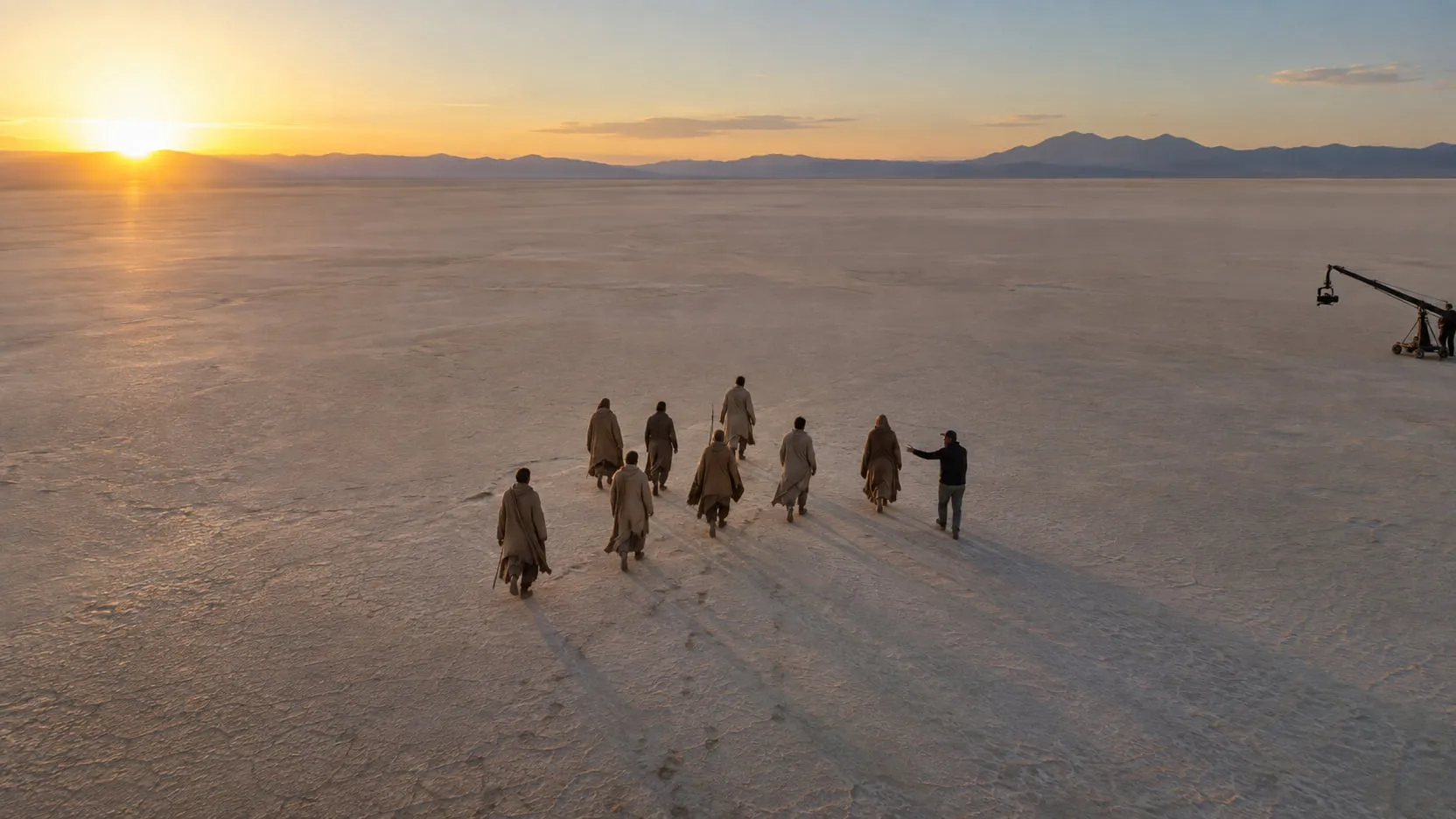
Crowd multiplication is the VFX technique of turning the extras you shot into a crowd you couldn’t afford to hire. The most common method is tiling: you shoot the same group several times, moving them to a new section of the frame for each pass on a locked or repeatable camera, then composite the passes into one crowd. Wide shots add 2D sprites or CG crowd agents on top. It works when the tiles are planned on set, the extras change costume and action between passes, and no recognizable face shows up twice. This post covers the four methods and when each one fits, a shoot checklist for tiles, the comp step by step, what gives a crowd away, and what background actors have to agree to.
Which crowd multiplication method should you use?
Pick the method by camera move and distance from camera. Tiling covers most locked-off shots with 20–50 extras; sprites fill the gaps and the far rows; CG simulation takes over when the camera moves a lot or the crowd runs to the horizon.
| Method | What it is | Use it when | Camera move | Cost and risk |
|---|---|---|---|---|
| Tiling (plate replication) | The same extras shot in several positions, passes composited together | Stands, streets, marches, 20–50 extras, crowd up to mid-ground | Locked-off, or a repeatable motion-control move | Cheapest; needs shoot time and planning. Risk: visible repeats, light drift between passes |
| 2D sprites / cards | Individuals or small groups shot against greenscreen, placed on cards in the scene | Filling gaps, far rows, stadium seating | Small moves; cards break with large perspective change | Moderate; needs a sprite shoot and roto. Risk: flat look off-axis |
| CG crowd simulation | Animated agents with motion clips and behavior rules (Massive, Golaem, Houdini) | Thousands of people, big camera moves, battles, crowds that must react | Any, with a camera track | Highest setup cost; needs assets, mocap, lookdev. Risk: uncanny motion up close |
| AI-generated crowds | People generated into the plate from a description and a matte | Mid and far background, dense fill behind real extras | Follows the plate | Setup is light. Risk: faces and hands that don’t hold over time, and the rights questions below |
On the CG side, as of September 2026: Massive lists Massive Prime, Massive for Maya and a free, non-commercial Massive 101 (Massive Software); Autodesk offers Golaem for Maya in its Media & Entertainment Collection (Autodesk); and SideFX describes Houdini’s crowd system as “a complete solution for instancing, simulation, and behavior” (SideFX).
Most real crowds mix methods by distance. On Now You See Me, Rodeo FX used production’s seated crowd tiles “for the simpler shots with minimal camera move”, greenscreen sprites for a 2.5D approach, and a CG crowd wherever people had to stand or the camera caused big perspective changes (befores & afters).
How have real productions built big crowds from a few people?
Mostly by shooting a small group many ways and letting the comp do the counting. Three documented examples:
- Moneyball. Rhythm & Hues filmed 50 people at four angles, isolated each on a card, and placed them procedurally in Houdini by the angle of each seat and of the tracked camera. The team told fxguide that traditional section tiles start to show a pattern across 65,000 seats (fxguide).
- Unbroken. Hybride’s whole stadium crowd came from 48 extras, shot 12 at a time against bluescreen. Each group performed its routine from five angles, and the extras not on camera changed costume “to maximize crowd variations” (befores & afters).
- A stadium commercial. For a Dick’s Sporting Goods spot, Framestore shot plates of about 100 extras in the stands plus individuals against greenscreen as sprites, then used a Nuke gizmo to propagate, randomize and tweak each fan (fxguide).
Newer approaches sit between photography and CG. In a June 2026 fxpodcast, fxguide covered Union VFX’s crowds made from captured performances as Gaussian splats, contrasting them with generative AI, which it describes as hard to direct, repeat and extend with production precision (fxguide).
How do you shoot crowd tiles on set?
Treat the tiles as a planned sequence of plates, not a few extra takes. Everything that changes between passes becomes a seam in the comp. Use this as a checklist:
- Lock the camera. Locked-off on sandbags, or motion control if the shot moves. Nobody touches the tripod between passes.
- Keep lens, focus, height and tilt identical. Write them down. A zoom bump or a focus pull breaks the alignment for every tile after it.
- Watch the light. Shoot tiles back to back. On a day exterior the sun moves and shadows turn, so a pass shot an hour later won’t match. Note the time of each pass.
- Map the tiles. Split the frame into sections on an overhead plan, with a little overlap. Mark positions with tape or cones. Plan seams along natural gaps: aisles, rows, railings.
- Shuffle and re-costume. Move people between rows so no face sits in the same relative spot twice. Swap hats, jackets, scarves and props between passes. Mix heights.
- Vary the action. Give each pass its own direction: a late reaction, a look the other way, someone standing up. Stagger cues so the whole crowd never moves on one frame.
- Keep recognizable faces out of the repeats. Put the extras the audience will read up front, once. Repeat only people at the back.
- Shoot a clean plate. An empty pass on the same camera. It’s the base you comp tiles over, and it saves painting later. See how to make a clean plate.
- Shoot sprites. A few individuals against greenscreen, doing each key action, from the angle of the shot. They fill gaps between tiles.
- Shoot reference. Set photos, a gray and chrome ball or an HDRI, lens grids, and slate every pass with its tile number.
How do you composite crowd tiles, step by step?
Build the crowd back to front over the clean plate, and keep the hero pass untouched. The hero pass is the one with the principal action and the extras closest to camera.
- Align. Check each tile against the hero pass for drift. A locked-off camera still settles; fix it with a 2D track or stabilize. On motion control, match to the hero pass’s camera track.
- Match exposure and color. Grade each tile to the hero pass before combining, so light drift doesn’t show as a hard edge.
- Cut the tiles apart. Use loose garbage mattes along planned seams where people don’t cross, and roto where they do. Feather the overlaps.
- Set depth order. Layer far to near. People closer to camera overlap those behind; foreground actors get holdouts where they cross the crowd.
- Break the repetition. Offset tiles in time, retime a section slightly, swap sections around. Flip a tile only if nothing in it reads backward, such as text, a badge or a logo.
- Add atmosphere and depth. Haze and defocus that increase with distance, and scale that shrinks with perspective. Far rows should lose contrast like the rest of the plate.
- Vary color by section. Small shifts in hue and brightness keep the crowd from reading as one fabric.
- Match grain. Degrain tiles and sprites, then regrain the comp with grain sampled from the plate, so every layer carries the same texture and movement.
- Review at speed, in the cut. Repeats and synchronized motion show up in playback, not on a still.
Deliver the crowd as its own layer with alpha and the matte beside the comp, so the next artist can regrade it. If you hand off RGBA files, label straight or premultiplied (how to export an alpha channel).
What gives a multiplied crowd away?
Repetition gives a crowd away before anything else. The eye is very good at spotting the same thing twice.
- Repeated faces, costumes and gestures. A red hat three times across the frame, or the same wave in two places.
- Uniform density or a grid. Real crowds clump and thin out. Evenly spaced people, or tiles with visible edges, read as a pattern. Rhythm & Hues’ reason for randomizing its Moneyball crowd was exactly this (fxguide).
- Synchronized motion. Everyone cheering on the same frame, or a section that loops.
- Wrong scale with distance. People who don’t shrink consistently with perspective, or who sit at the wrong height for the ground they’re on.
- Light and shadow that don’t agree. One tile with shadows falling differently because it was shot later.
- Edges and grain. Halos around sprites, and smooth patches next to grainy ones.
The fix is usually the same: more variation between passes on set, and randomization in the comp. For extending the set around the crowd, see what set extension is and how it’s done.
Do background actors have to consent to crowd multiplication?
For digital replicas, yes, under SAG-AFTRA’s contracts. SAG-AFTRA’s summary of its 2023 TV/Theatrical contracts says that for both principal performers and background actors, the producer must get consent to create a digital replica, with at least 48 hours’ notice, and informed consent to use it. In most cases the performer is paid for the use. Producers “cannot use a digital replica to avoid hiring a background performer or to evade coverage maximums”. Digitally altering a performance beyond established, traditional post-production edits also needs consent (SAG-AFTRA).
Two points from SAG-AFTRA’s FAQs matter for crowd work. If a background actor would have been hired for a week, the producer can’t use their replica in their place to avoid that week. And a generated character that resembles an actual performer is treated as a digital replica, while wholly synthetic performers require notice to the union and an opportunity to bargain (SAG-AFTRA FAQs). Members ratified a 2026 TV/Theatrical agreement on June 4, 2026, effective July 1, 2026, which builds on those protections and further restricts synthetics (SAG-AFTRA). Check its summary for the current terms.
Studios set their own rules too. Netflix’s guidance for production partners on generative workflows says digital replica use “may require documented talent consent” (Netflix).
Where ordinary tiling of the passes you shot ends and a digital replica begins is a contract question, not a comp question. So is reusing an extra’s image in another scene or project, and so is using generated background people at all. Non-union shoots depend on the release forms the extras signed and on local law. This is not legal advice: check your contracts and ask counsel or the union before you decide. For the wider rules on AI in a production, from guild terms to delivery specs, see can you use AI in a film?
Where nolanlabs fits
Crowd multiplication is what nolanlabs Crowd & scale does: it turns twenty-five extras into an army and a set wall into a city, and you still make the creative calls.
You mark the area to fill and describe the crowd: density, action, how far it goes. Costume and light are taken from the extras you shot. The real extras and actors in the foreground stay as shot, because only the marked region changes. What comes back is the comp plus the crowd layers with alpha, an extension layer and the matte, so you can regrade or rework the crowd in your own compositor. The crowd is built from footage the production holds rights to, and generated background people never copy a real person’s face.
The honest limit: background people close to camera, with readable faces and hands, are the hardest part, so plan real extras there. Density has to look believable, never a uniform grid, and long shots where individuals move need more than one pass. Access is by invitation: request a demo with a thin crowd shot from your cut, and say how full it needs to look.
A crowd that holds up is mostly decided on set: tiles planned around a locked or tracked camera, real extras wherever faces read, and costume, action and timing changed between passes. The paperwork comes before any of it, because an extra multiplied without consent is a problem no comp can fix.
Questions
- How do you make a crowd with only a few extras?
- Shoot the same group several times on a locked-off or motion-control camera, moving them to a new section of the frame for each pass, then composite the passes together. Between passes, swap costumes, shuffle people between rows and change the action, so the repeats don't read. For the far background, add sprites or CG crowd agents.
- What is the difference between crowd tiling and crowd simulation?
- Crowd tiling composites several photographed passes of real extras into one frame, so every person on screen was actually there. Crowd simulation fills the frame with CG agents, animated characters driven by motion clips and behavior rules in tools such as Massive, Golaem or Houdini. Tiling is cheaper for locked-off shots; simulation handles big camera moves and very large numbers.
- Do background actors have to consent to crowd multiplication?
- Under SAG-AFTRA's 2023 TV/Theatrical contracts, producers need a background actor's consent to create a digital replica of them, with at least 48 hours' notice, and informed consent to use it; they can't use a replica to avoid hiring background performers. Where ordinary tiling ends and a digital replica begins is a contract question. Check your agreements and ask counsel; this is not legal advice.
- Why does my multiplied crowd look fake?
- Usually because of repetition: the same face, hat or gesture appearing twice, everyone reacting on the same frame, or density so even it reads as a grid. Scale is the other giveaway: people must shrink consistently with distance, and their light, grain and focus must match the plate. Fix the repeats first; the eye finds them before anything else.
Sources
- Rhythm and crowds: Moneyball — fxguide (Ian Failes, October 4, 2011) — accessed 2026-09-27
- Body of Work: Rodeo FX on how it crafts crowds — befores & afters (Ian Failes, October 23, 2020) — accessed 2026-09-27
- Hybride: adventures in crowds — befores & afters (September 10, 2020) — accessed 2026-09-27
- VFX in TVCs: how to make a crowd — fxguide (Ian Failes, July 25, 2013) — accessed 2026-09-27
- Union VFX on production-ready Gaussian splat crowds — fxguide (fxpodcast, June 1, 2026) — accessed 2026-09-27
- Massive Software — product page (Massive Prime, Massive for Maya, Massive 101) — accessed 2026-09-27
- Autodesk Golaem: crowd animation and simulation software — Autodesk — accessed 2026-09-27
- Crowds — Houdini product page, SideFX — accessed 2026-09-27
- Crowd simulations — Houdini 22.0 documentation, SideFX — accessed 2026-09-27
- 2023 TV/Theatrical Contracts (summary and FAQs, digital replicas) — SAG-AFTRA — accessed 2026-09-27
- Artificial Intelligence Resources: FAQs on the 2023 TV/Theatrical Contracts — SAG-AFTRA — accessed 2026-09-27
- SAG-AFTRA members approve 2026 TV/Theatrical Contracts tentative agreement — SAG-AFTRA (June 4, 2026) — accessed 2026-09-27
- Generative workflows: applications and use cases — Netflix Knowledge Hub for production partners — accessed 2026-09-27
Written by the nolanlabs team. nolanlabs does AI shot work for post-production; product names mentioned belong to their owners. Tool details were accurate on the date shown above — check the vendor’s documentation before relying on them.